
Understanding TIA Student Information System
Are you a student at the Tanzania Institute of Accountancy (TIA)? If yes, you are probably tired of standing in long queues, waiting for your academic records, financial statements, or other documents. In today’s digital era, centralizing student information is essential for fast and efficient service delivery, and that’s why TIA has introduced the TIA Student Information System (SIS). Whether you are new to the institution or you have been around for a while, this article will guide you through the TIA SIS from scratch.
Guide to TIA Student Information System
Here’s a step-by-step guide to help you to TIA Student Information System:
Step One: Accessing TIA SIS
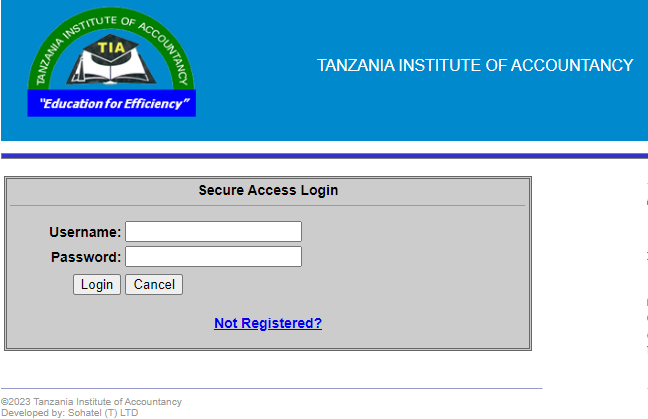
The first step to get started with TIA SIS is accessing the online portal. To access the portal, visit the official TIA website using the following URL and log in using your TIA student ID and password. If you don’t have the login details, contact the TIA ICT Help Desk for assistance. Once you log in, you will see the dashboard, which is divided into four sections: Profile, Academic, Finance, and Library.
Step Two: Updating Your Profile
In the Profile section, you can update your personal information, including your name, contact details, and profile picture. You must ensure that all the information is accurate and up-to-date for easy communication with the institution.
Step Three: Checking Your Academic Records
The Academic section is where you can check your academic records, including your course marks, GPA, and credits. You can also access other academic-related documents such as timetables, exam schedules, and graduation lists. It’s crucial to keep an eye on this section to ensure that you are on track with your studies.
Step Four: Managing Your Finance
The Finance section is where you can view your financial statements, including tuition fees, receipts, and outstanding balances. You can also pay your fees online through the portal using various payment options, including mobile money, bank transfer, or credit/debit cards. Managing your finance through this section is convenient and saves time.
Step Five: Accessing the Library Resources
Lastly, the Library section is where you can access all the library resources, including e-books, journals, and other academic materials. You can search for resources using keywords or browse through the categories. This section is particularly useful for research or coursework assignments.
TIA login
Click Here to View more Details on Official website:
OR Go to our homepage click here
Conclusion
In conclusion, TIA SIS is a game-changer for students at TIA. With its user-friendly interface, students can access their academic, financial, and other records within the comfort of their homes. The five steps outlined in this article will help you navigate the TIA SIS like a pro. Make good use of this system to ensure that you are up-to-date with your academic progress and stay ahead of the game.