
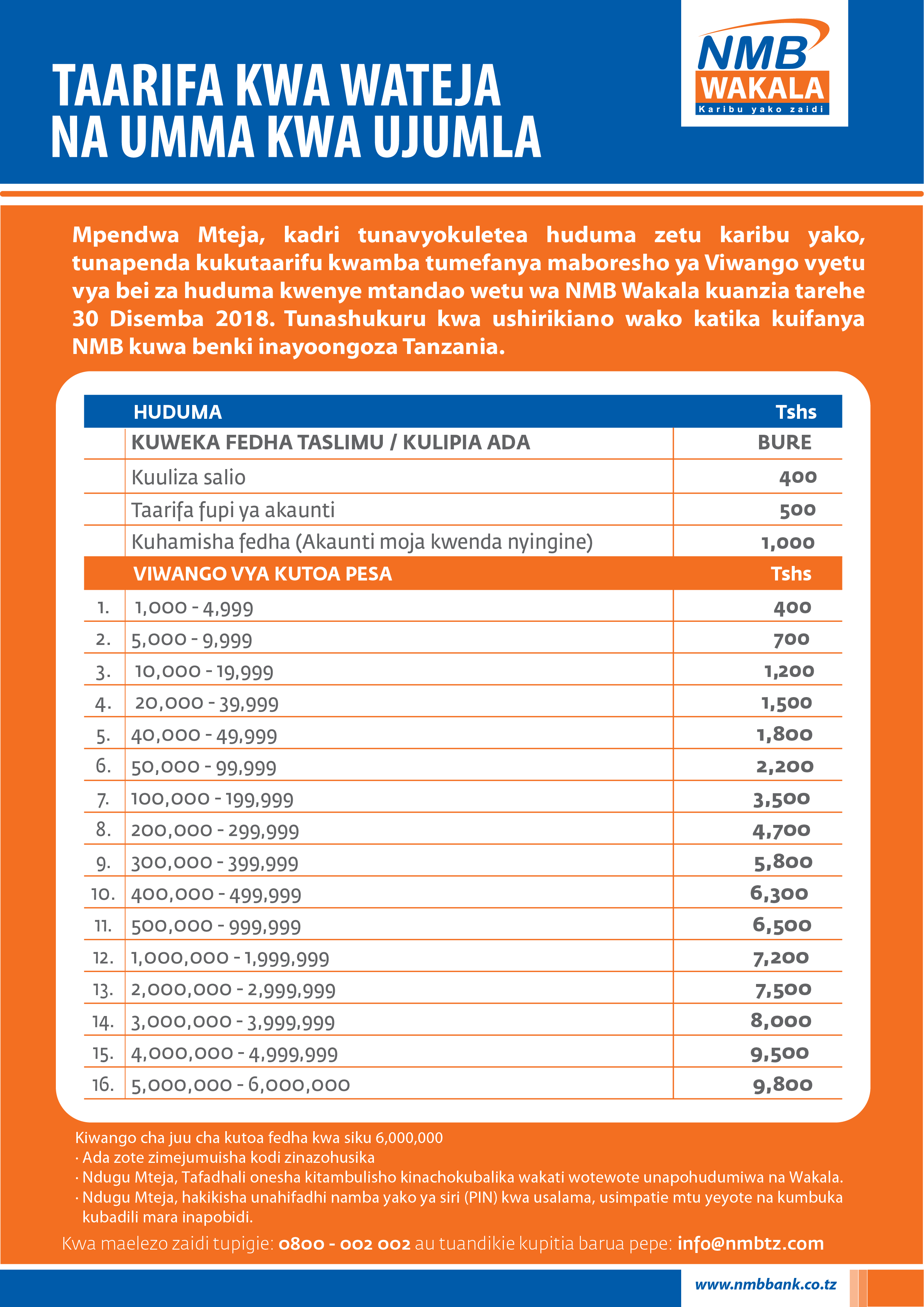
Mobile banking has become a necessity in today’s world, and NMB Mobile is an excellent mobile banking option available in Tanzania. NMB Mobile is the mobile banking application provided by NMB Bank, which is one of the leading banks in Tanzania. NMB Mobile can be accessed by dialing *150*66#. This blog will give you a comprehensive understanding of NMB Mobile, its features, and how to use it efficiently.
Understanding NMB Mobile
NMB Mobile is a mobile banking application that provides you with a wide range of banking services that you can access from your mobile phone anywhere and at any time. You can use NMB Mobile to check your account balance, view transaction history, transfer funds, pay bills, and much more. The application is secure, easy to use, and available for download on both Android and iOS devices.
Benefits of NMB mobile
- No registration fee
- No monthly fee
- 24 hours 7 days a week service
- Works on every phone
- Available when travelling abroad with roaming services
- Convenience
- Instant service, anywhere
How to Get Started with NMB Mobile
NMB Mobile can be accessed by dialing *150*66#.
- Download NMB Mobile from the Google Play Store or Apple App Store
- Visit your nearest ATM
- Press any button to put your ATM on standby
- Insert card
- Enter your PIN
- Select the language of your choice
- Select the NMB Registration button on the lower end of your right hand side
- A message prompting to enter the number you wish to register will appear on screen. Enter the number e.g. 07******** and press the Continue button on the top right hand side
- Message requesting you to confirm the number appears Double check the number and accept by Pressing YES Button on your right hand side. Or No if the number is not correct
- A message requesting you to enter a PIN number for NMB Mobile will appear. Enter a FOUR DIGIT number e.g. 1234 and then press the top button on your right to confirm the PIN entered
- A message requesting you to enter the PIN number for second time for verification will appear. Enter the exact same number as before and press the Continue button on the top right hand side
Your PIN is a secret code. Do NOT share it with anyone at any time. Beware of the people calling and requesting your information and NMB Mobile PIN.
Services Available via NMB mobile:
- Enquiry services including Balance Enquiry and mini statements
- Airtime purchase for Vodacom, Airtel, Tigo, Zantel and Halotel
- Money Transfer to an NMB account, NMB Pesafasta, M-PESA, TigoPesa, Airtel Money, Halopesa Chap Chap Plus and other Banks
- Payment of TV subscriptions, including DSTV, StarTimes, AzamTV and ZUKU TV
- Payment of transport, including UDART, Precision Air and FastJet
- Payment of water bills, including DAWASCO and other regional water authorities
- Payment of electricity, including LUKU and other Tanesco services
- Payment of rent, including NHC
- Payment of taxes/duties including Property Tax, Income Tax, Motor Vehicle, Local Government, Ports Authority, BRELA and Government Ministries
- Payment to various social security funds
- Payment for Health Services to various hospitals across the country
- Payment to various high learning institutions, universities and colleges
- Other services like blocking your ATM card, changing your NMB mobile PIN and change your preferred language
For further assistance, please call our toll free number – 0800 002 002
READ ALSO: JOBS IN TANZANIA
Conclusion
In conclusion, NMB Mobile is a fantastic mobile banking application that makes banking more accessible and convenient for you. Whether you want to check your account balance, transfer funds, pay bills, or buy airtime, NMB Mobile has got you covered. With its user-friendly interface, 24/7 availability, and top-notch security, NMB Mobile has become the go-to mobile banking option in Tanzania. Click here to get started, and enjoy the benefits of mobile banking with NMB Mobile.