
In your journey towards acquiring higher education, the National Student Financial Aid Scheme (NSFAS) can be a game-changer. Designed to support students in need, NSFAS provides a crucial financial bridge. This guide will assist you in navigating the NSFAS Login processes, the application requirements, and more.
The NSFAS organization was established in 1996 by the South African government with the objective of providing services to the citizens. Currently, NSFAS employs over 300 individuals and operates with a substantial annual budget, allowing for the implementation of the NSFAS scheme.
In this article, you will find a step-by-step guide for the NSFAS Online Application process, starting from NSFAS Login, NSFAS Register, Filling out the NSFAS Form, and uploading required documents.
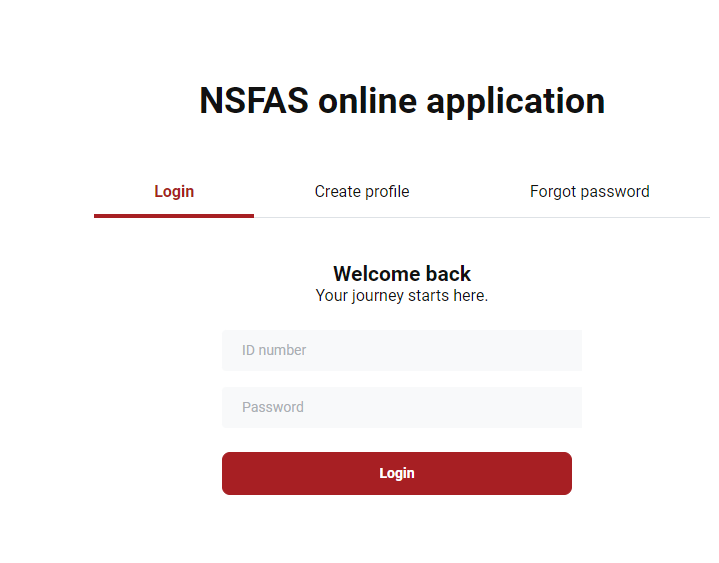
Accessing the NSFAS Login Portal
NSFAS Login into the NSFAS portal is simple:
- Visit my.nsfas.org.za
- Enter your ID number and password.
- Accept the capture on the form.
- Click on the login button and wait for the platform to authenticate and redirect to your dashboard.
Should you forget your password or credentials, here’s how to reset your NSFAS login details.
Creating Your NSFAS Login Account
Before you can apply for NSFAS funding, you’ll need to register for a my NSFAS login account:
- Visit the myNSFAS Portal.
- Navigate to the myNSFAS tab and click register.
- Allow NSFAS to verify your details.
- Fill in your ID Number, Full Name, Surname, email address, and contact number.
- Create and confirm your password.
- Upload a copy of your ID.
- Click register.
- Use the OTP sent to your provided cellphone number and email address (expires after 24 hours).
- Click submit and wait for the system to confirm and redirect.
How to Apply for NSFAS Funding Online
Applying for NSFAS funding has been made accessible to every eligible student:
- Access the NSFAS Login myNSFAS Portal Login.
- Click on the ‘myNSFAS’ tab.
- Login to your myNSFAS account.
- Click on the ‘APPLY‘ tab, complete the sections, and upload required supporting documents.
- Preview and ‘Submit’.
NSFAS Application Requirements
For a successful application, ensure you have the following:
- A copy of your ID.
- Temporary ID from the Department of Home Affairs (if necessary).
- ID copies of parents, legal guardians, or spouses.
- Proof of income, not older than 3 months.
- Cellphone number and email address.
- If you’re a SASSA grant recipient, no proof of income is needed.
For More on NSFAS
Find further detailed information on the NSFAS Login, updates, requirements, and more by visiting here.