
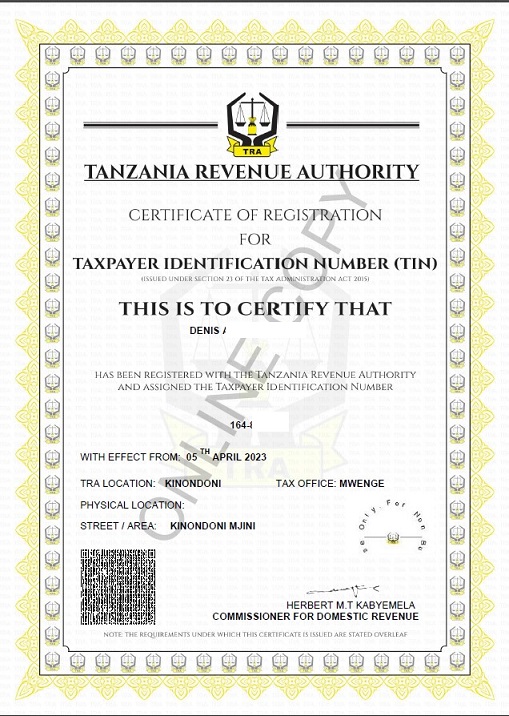
Obtaining a Tax Identification Number (TIN) is one of the most important steps for any business operating in Tanzania. It’s a unique number assigned to identify your business with the Tanzania Revenue Authority (TRA). With the convenience of technology, registering for a TRA TIN number has become easier than ever before. In this blog post, we will guide you through the step-by-step process of TRA TIN registration online. We’ll cover everything from preparing for registration to updating your information online. We’ll also address common issues that may arise during registration and how to troubleshoot them. Additionally, we’ll discuss why having a TIN is crucial for businesses in Tanzania, and how registering on the online platform has made it more convenient and accessible for everyone. The System requires that each applicant has a National Identification Number (NIN) that has been issued by National Identification Authority (NIDA) or other National IDs. You can apply TIN Number by:- Read on to learn everything you need to know about TRA TIN registration online.
TIN Number Registration Online via TRA Portal
The first step in becoming tax-compliant in Tanzania is registering for a Tax Identification Number (TIN). The process can be easily completed online via the TRA Taxpayer Portal.
Steps for TIN Number Registration Online in Tanzania using TRA Portal:
- Visit the TRA Taxpayer Portal.
- Fill out the required application form with accurate information.
- Upload the necessary supporting documents.
- Submit your application.
- You will receive a confirmation email detailing the next steps.
Online TIN Number Check with TRA Portal
After you have registered for your TIN number, you may need to verify or retrieve it for various purposes such as employment, loans, or tax-related activities. Thankfully, the TRA Portal allows for an easy online TIN number check.
How to Perform an Online TIN Number Check using TRA Portal:
- Visit the TRA Taxpayer Portal.
- Enter your registered mobile number or email address.
- Retrieve your TIN number details via SMS or email.
Jinsi Ya Kupata TIN Number Online Application on TRA Portal
For Swahili speakers, “jinsi ya kupata TIN number online application” or how to obtain a TIN number through an online application is a straightforward process via the TRA Portal. Simply follow the steps outlined in the TIN number registration section, and you’ll become tax-compliant in no time.
Troubleshooting Common Issues During Registration
Resolving forgotten login credentials, dealing with technical glitches, seeking assistance from TRA offices, overcoming registration challenges, ensuring a smooth experience through troubleshooting.
What to Do If You Forget Your TIN
Forgot your TIN? Don’t worry! Easily retrieve it through the TRA system by following the necessary steps and providing required information. Contact the TRA helpline for further assistance in regaining access to your TIN.
How to Resolve Registration Errors
Identifying common errors during registration, understanding their causes, rectifying them, seeking TRA office or support channel assistance, and successfully completing the registration process after resolving errors.
Maintaining Your TRA TIN Account
Keeping your TRA TIN information updated is crucial. Access your account online for easy management, timely tax payment, and convenient communication with TRA offices. Leverage the effective self-service features of the online registration system.
How to Update Your Information Online
Updating your information online with the TRA TIN registration is a breeze. Simply download the online registration form for hassle-free updates. Login to your TRA TIN account, provide accurate information, and complete the registration and application in a timely manner.
How Has the Online TRA TIN Registration System Evolved Over Time?
The online TRA TIN registration system has undergone significant improvements over time. It is now more user-friendly, allowing for quicker and easier registration. Enhanced security measures have been implemented to protect personal information. The system also integrates with the national identification system for seamless registration, resulting in increased efficiency.
Is Registering for TRA TIN Online More Convenient?
Registering for TRA TIN online offers convenience by eliminating physical paperwork, providing 24/7 access, and allowing registration from anywhere. Save time and avoid queues with the smooth and efficient online registration system.
Conclusion
In conclusion, registering for a TRA TIN number online has made the process much more convenient and efficient. Whether you have a National Identification Number (NIN) or not, you can easily register and update your information online. It is important to understand the significance of having a TIN in Tanzania, as it is required for various legal and financial transactions. If you encounter any issues during the registration process, there are troubleshooting steps you can take to resolve them. By maintaining your TRA TIN account and keeping your information updated, you ensure that you are compliant with the tax regulations in Tanzania. Overall, the online TRA TIN registration system has evolved over time to provide a user-friendly and streamlined experience for individuals and businesses alike.