
Getting Started with AdSense
First thing you need to do is sign up for a Google AdSense account. If you have a Gmail account, then you can use an existing account.
Once you’ve submitted your application, you will receive an email within 6 – 8 hours telling you whether you have passed the first step of the review process. If you passed the first check, then you can log in to your AdSense account and get your ad code.
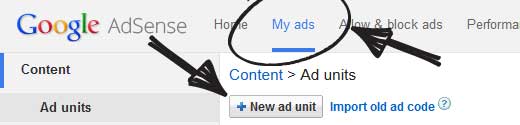
Start by clicking on the My ads tab and then click on the New ad unit button.
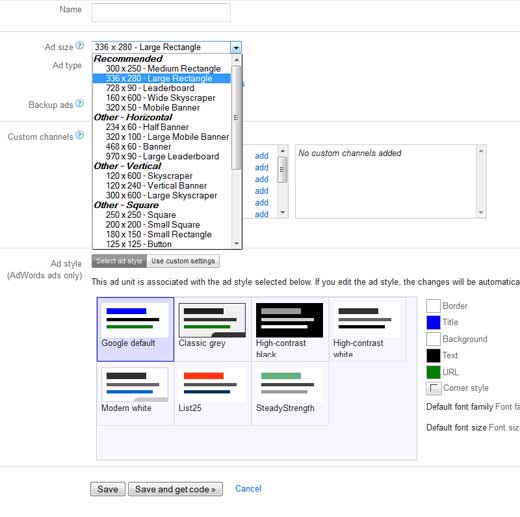
This will bring you to create new ad page. On this page, you need to select the Ad size, type, and style.
The name of the Ad is only used for internal purposes, so you can name it like “SiteName Sidebar”.
The next option is choosing the Ad Size. While Google offers a wide-variety of ad sizes, there are certain sizes that are listed under recommended because those are the most popular among advertisers. What that means is that these ads are likely to have a higher inventory thus a better payout.
The next option is to choose Ad type, we recommend having both Text & display ads.
For backup ads, you can either choose to have a blank space or fill it with your own ad. This is shown when Google cannot find an appropriate advertise (which rarely happens).
Custom Channels feature allows you to better track the ad performance based on sites. You don’t have to use it if you don’t want to.
Ad style allows you to control the display of your text based ad units. We recommend using your site’s color scheme for best results.
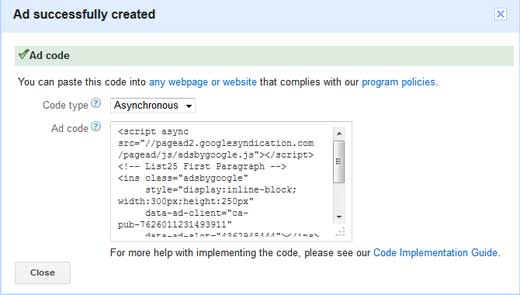
Once you’re done with this setup, simply click on Save and get code button. You will be prompted with a message “Ad successfully created”, and you will also see the Ad code.
Copy your Ad code and paste it in a Notepad because you will need it in the next step.
Adding Google AdSense in WordPress
You need to determine where you want to show the ad on your website. Most commonly ads are displayed in the sidebar. You can add the Ads in your sidebar by using WordPress widgets.
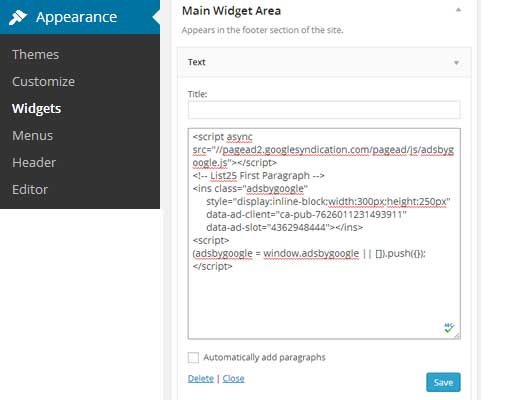
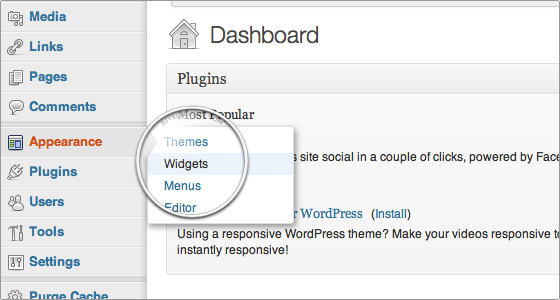
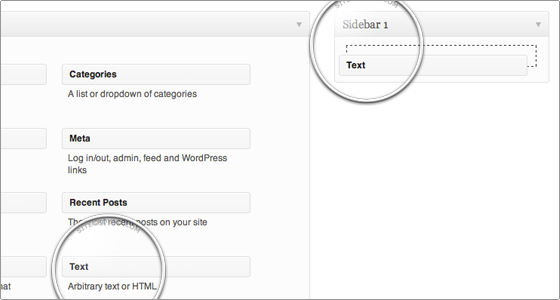
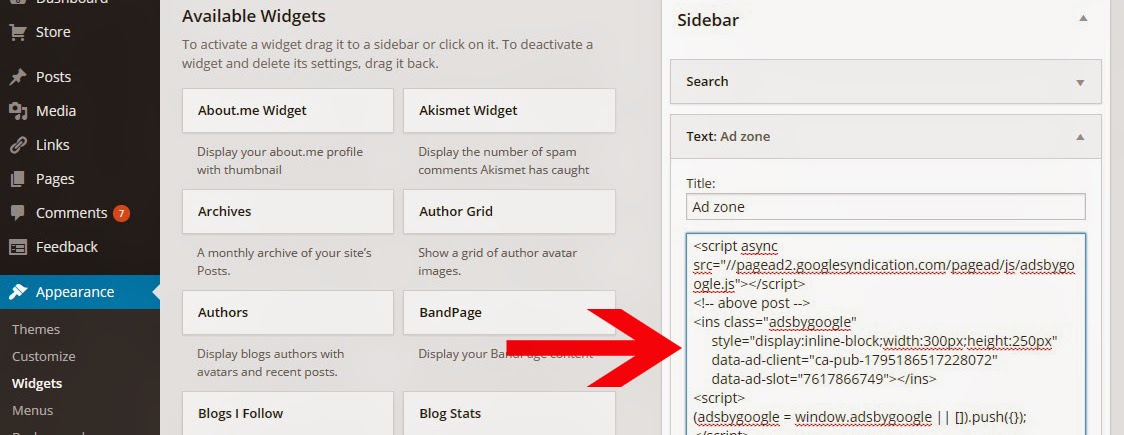
Simply go to Appearance » Widgets in your WordPress admin area. Next drag & drop the Text widget to the appropriate widget area and paste your Google AdSense code in there.
For better placement control and tracking, we recommend that you check out OIO Publisher or AdSanity WordPress plugin. (See: Best Ad Management WordPress solutions)
AdSense Best Practices and Frequently Asked Questions
Over the years, we’ve answered several AdSense related questions. Having used AdSense on several of our sites such as List25, we’ve learnt a whole lot about optimizing. Below are some AdSense best practices and frequently asked questions.
What’s the best AdSense Ad Size?
Although ad placement is key, we’ve found that the best sizes are 336×280 and 300×260. These ads tend to fit on most screen sizes and have the best pay rate as well.
How to add Google AdSense to website? With WordPress you can easily add your AdSense code to your blog. In order to do this, first login to the administrative end of your website. Then, go to the Appearance -> Widgets menu.
In this page select to drag-and-drop a “Text” widget onto your registered sidebar.
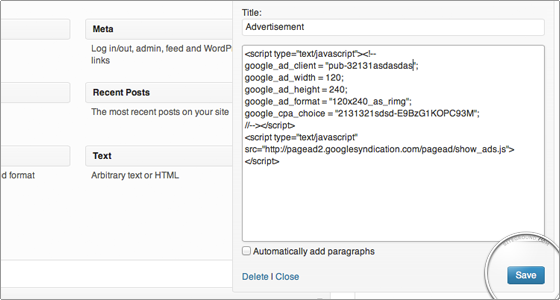
Then you should add a title (in our case – Advertisement) and right under it the actual code that you have obtained from Google. Finally, click on the on the “Save” button right under it.
Well done! You have just added your AdSense code to your WordPress blog.
or follow these steps
Step-2
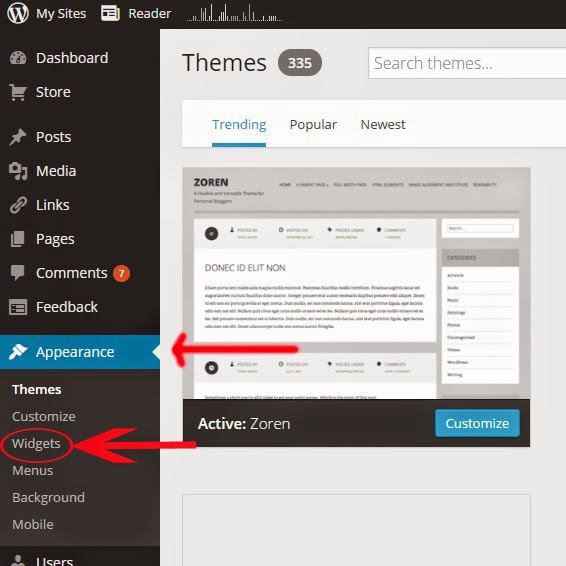
Login to your wordpress account then visit on appearance section at left side and click on widgets.
Step-3
Now save the ad code.
How to add Google AdSense to website?, How to add Google AdSense to website?, How to add Google AdSense to website?, How to add Google AdSense to website?, How to add Google AdSense to website?